- Download and install the Duplicate Remover tool on your Windows PC
- Launch the utility on the desktop and you will get a window like this.
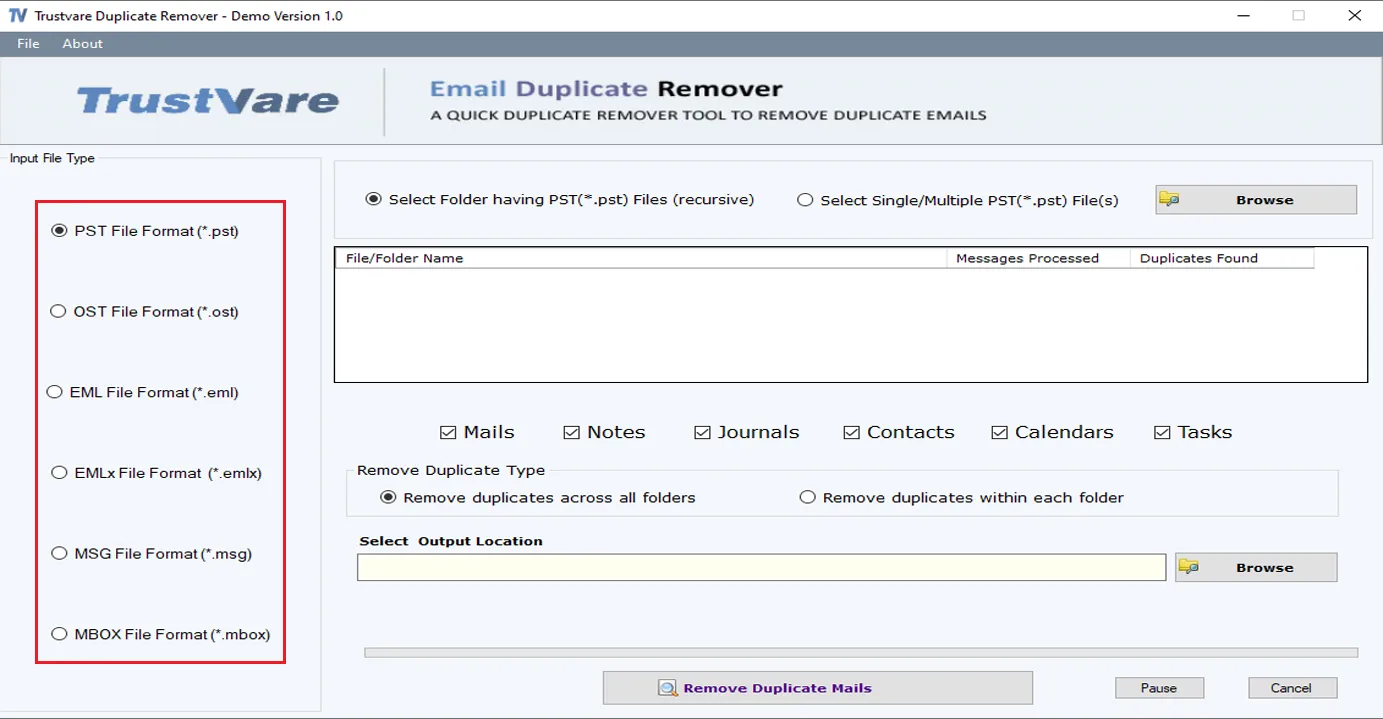
- You can choose a Input file type (PST,OST,EML,MSG,MBOX) from the menu on left hand side
- You can import a Folder containing files or you can select a single/multiple separately.
- Select data file,click on the Browse button to locate from your local storage.
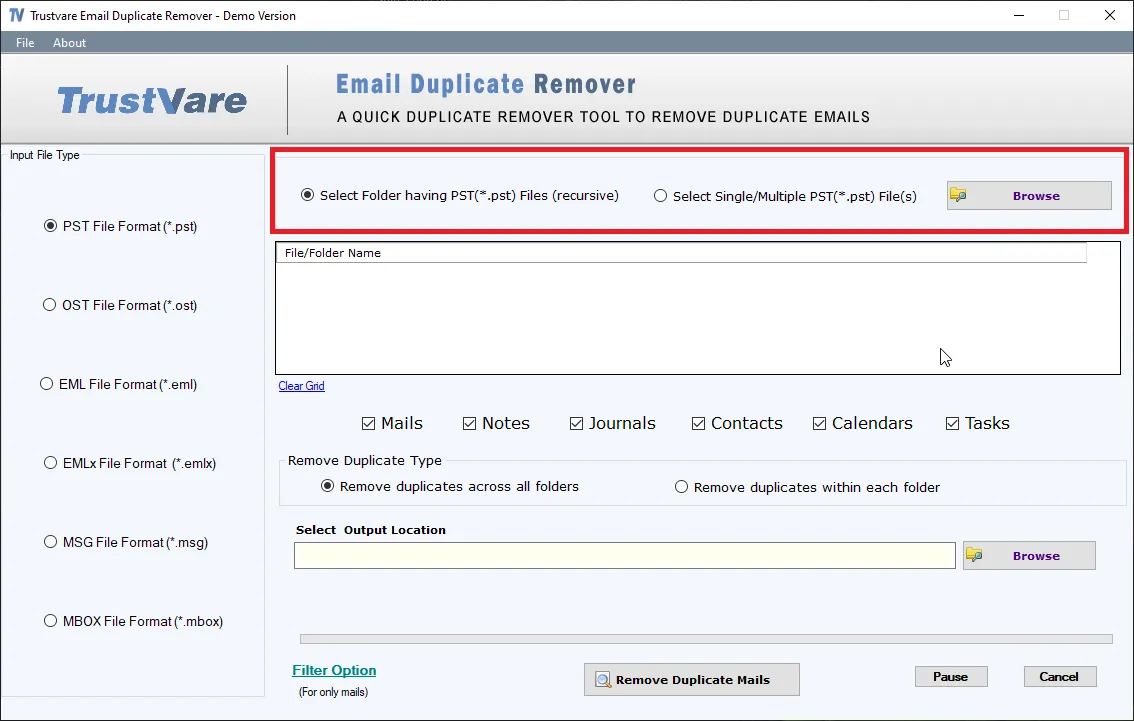
- After browsing file,you will get a preview of data inside the file like below
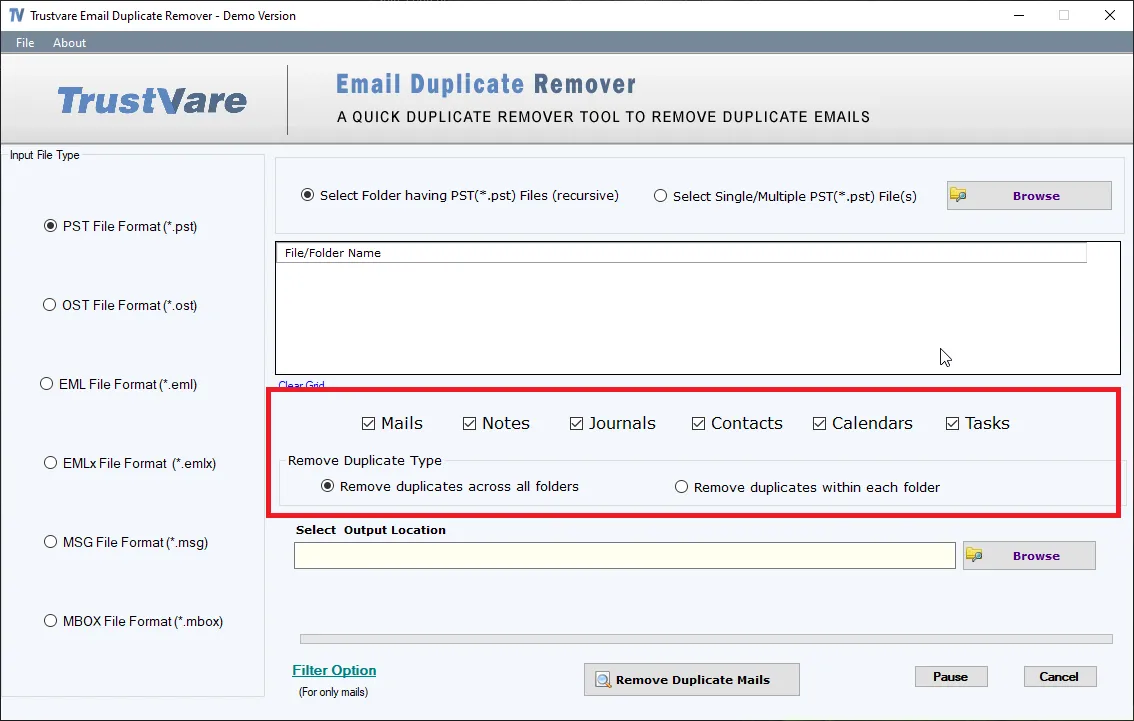
- You can filter data like Mails,Notes,Journals,Contacts,Calendars and Tasks
- You can also Select Duplicate Removing Type- Remove duplicate across all folders or Remove duplicate within each folder.
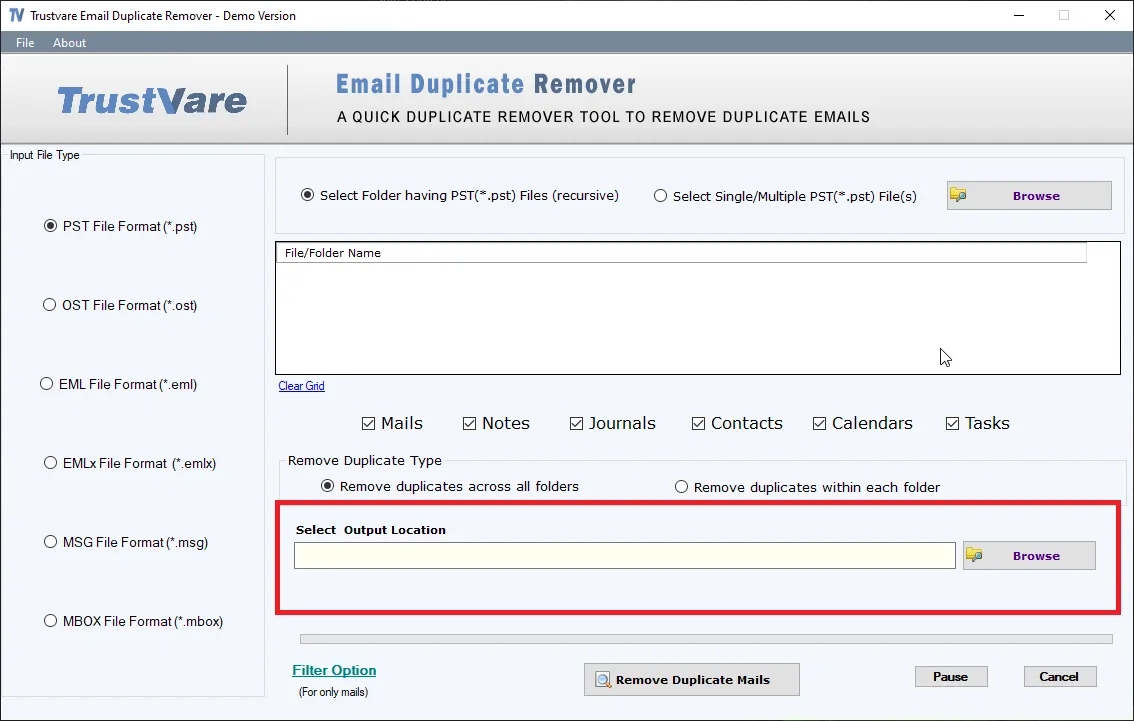
- After that,select a location for the output file.
- After completing all the steps above,click on the Remove Duplicate Mails button –

- After completing the process,your resultant file saved at your desired location.